Already have an account?
Please log in to view your pricing and saved details.



From straightforward staff cards to high-resolution access credentials with encoding, tactile security or lamination, ID Solutions can help you select the Entrust printer and configuration that fits your organisation.
The best model usually becomes clear once we know how your cards will be used, how long they need to last and whether anything needs to be encoded.
Sigma printers apply colour directly to the card surface. The Artista CR805 first prints to film and then bonds that film to the card, giving stronger edge-to-edge coverage and excellent results on smart cards.
A simplex printer prints one side. A duplex printer automatically turns the card and prints both sides, which is normally better for cards with conditions, emergency details, instructions or branding on the back.
Magnetic stripe and smart-card encoding can write data as the card is printed. Lamination improves durability, while a tactile impression adds a visible and touchable security feature.
The range starts with uncomplicated everyday printing and extends to 600 dpi, retransfer, inline lamination and tactile security configurations.
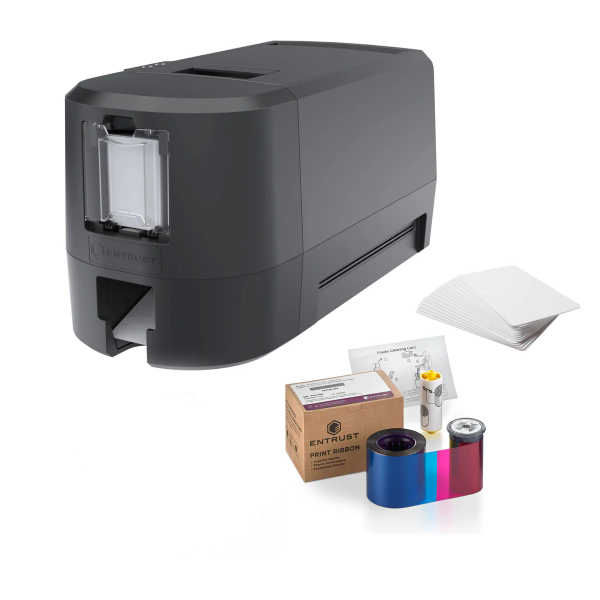
A practical starting point for everyday ID cards.
The DS-E brings the core Sigma printing platform into a streamlined printer for organisations that want straightforward, dependable card production.
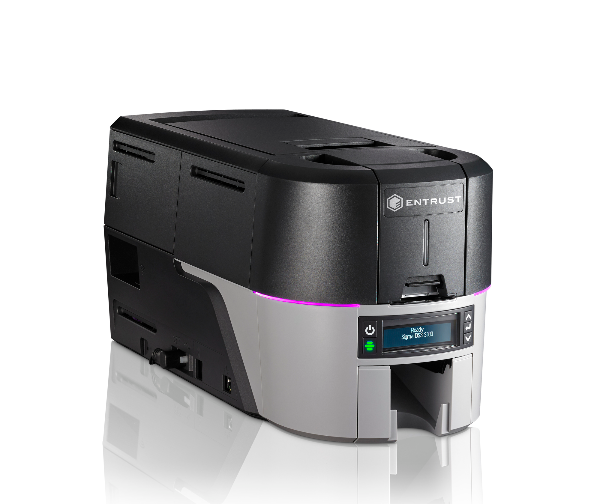
The versatile all-rounder for growing card programmes.
The DS3 combines strong everyday print performance with a wider range of options, making it a good fit for organisations that may need encoding, added capacity or security features.
Sharper detail for high-assurance credentials.
True 600 × 600 dpi output improves fine text, detailed portraits and small security elements where close visual inspection and print precision matter.
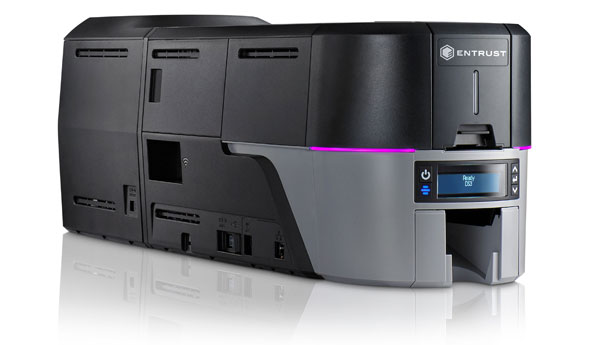
Add a security feature people can see and feel.
The rear-mounted tactile impression module applies a raised foil impression to the card. It provides an immediate visual and touch-based check that is difficult to reproduce with an ordinary card printer.
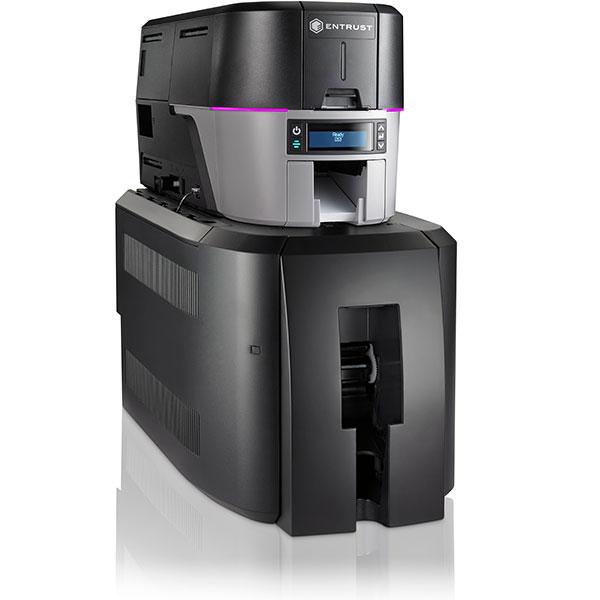
Direct-to-card printing with added protection.
The Card Lamination Module sits beneath the DS3 and applies an overlay after printing. Choose a single laminator for one side or a dual laminator when both sides need protection.
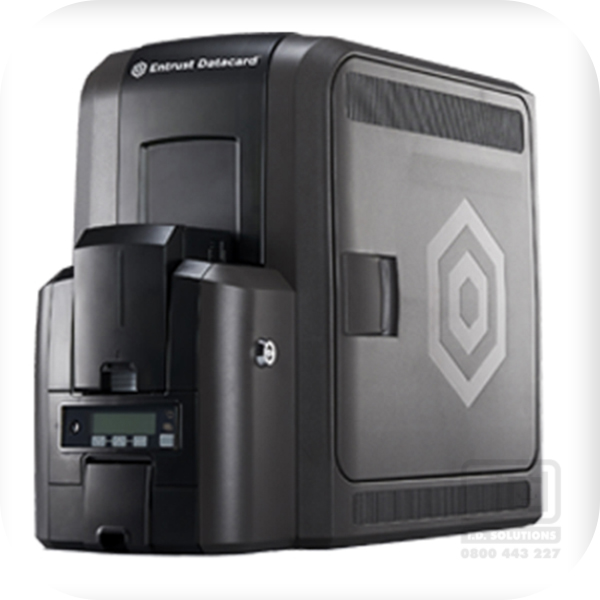
Premium image quality and excellent smart-card coverage.
The CR805 prints the image onto retransfer film before bonding it to the card. This produces strong edge-to-edge results and is particularly useful for RFID and smart cards with an uneven chip area.
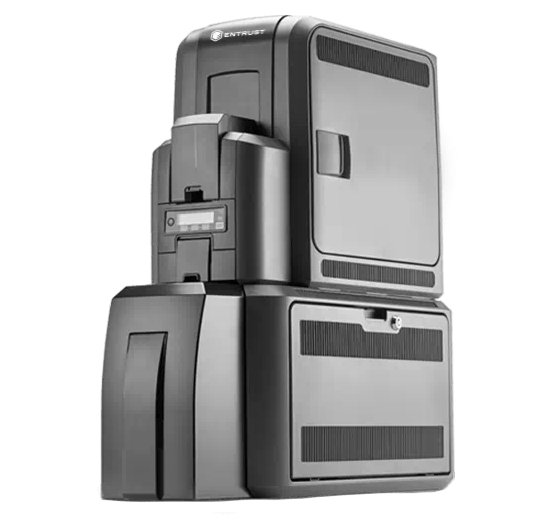
High-resolution retransfer cards with an added protective layer.
This configuration combines the print quality and card-surface coverage of the CR805 with inline single- or dual-sided lamination for credentials expected to receive heavy use.
This overview covers the main decision points. We will confirm the exact printer, encoder and module configuration before quoting.
| Feature | Sigma DS-E | Sigma DS3 | DS3 600 dpi | Artista CR805 |
|---|---|---|---|---|
| Print method | Direct-to-card | Direct-to-card | Direct-to-card | Retransfer film |
| Resolution | 300 dpi | 300 dpi | 600 × 600 dpi | 600 dpi |
| Simplex / duplex | Either | Either | Selected configurations | Duplex supplied by ID Solutions |
| Magnetic stripe | Optional | Optional | Optional | Optional |
| Smart-card encoding | Not offered in our standard DS-E range | Available from ID Solutions | Available from ID Solutions | Available from ID Solutions |
| Lamination | Not the normal choice | Optional CLM configuration | Ask us about the required configuration | Optional CLM configuration |
| Best suited to | Routine staff and membership cards | Flexible everyday and access-card programmes | Fine detail and high-assurance credentials | Premium, RFID and smart-card applications |
Exact compatibility depends on the printer build, card technology, access-control system and the data that needs to be encoded.
These options are normally selected when the printer is ordered. Tell us what the finished card must do and we will work backwards to the correct configuration.
Writes data to a compatible magnetic stripe while the card is being printed. We will confirm the stripe type, coercivity and required data format before specifying the encoder.
Available in the DS3 and CR805 configurations supplied by ID Solutions. The correct encoder depends on the card technology and what your access-control or identity system expects.
Lamination adds a clear or security overlay for durability. A tactile impression creates a raised visual feature for quick authenticity checks. They solve different problems and can be discussed separately.
You do not need to know the technical model number before contacting us. A sample card and a few details about your printing volume and access system are usually enough to begin.
The printer is only one part of a reliable card-issuance system. ID Solutions can also help with card software, genuine supplies, cleaning and support information.
Entrust Instant ID software can support simple card design and printing through to multi-user and enterprise credential issuance. We can help match the printer, software and database requirements to your organisation.
View Entrust softwareID Solutions supplies Sigma ribbons, Artista CR805 ribbons and retransfer film, laminates, cleaning products and selected consumables for legacy Datacard printers.
View Entrust consumablesGo directly to ID Solutions support information for Sigma, Artista, lamination, software and older Datacard equipment.
Yes. The brand moved from Datacard to Entrust Datacard and then to Entrust. Older printers may still carry the Datacard or Entrust Datacard name, while current models use the Entrust brand.
Yes. They are designed around the standard ID-1 / CR80 card format. Card material, thickness and surface quality still need to suit the printer and the finished application.
Choose duplex when the back of the card needs printed information and you want it produced automatically. A simplex printer can still be suitable when every card is printed on the front only.
Not always. Many organisations print an existing access card and use its UID or serial number in the access-control database. An encoder is needed only when your workflow must write data to the magnetic stripe or smart chip during card production.
A single laminator normally applies overlay material to one side. A dual laminator can protect both sides in the same inline process, or apply different overlay materials where the configuration allows.
Retransfer printing bonds a printed film to the card instead of placing the printhead directly against the card surface. This helps produce more consistent coverage around embedded chip areas and supports a premium edge-to-edge appearance.
Tell ID Solutions what you print now, whether the cards are single- or double-sided, what access technology is used and how long the cards must last. We will help you compare the sensible options without adding features you do not need.


.png)


